Share
Occasionally I will share some of my insights, experiences and (mostly) mistakes 🙂 about marketing my voiceover business so you can do as I say, not as I do.

This is the Canva designed email signature used by voice actor Peter K. O’Connell
In other words, my mistakes show you what not to do – your mileage may vary.
Today’s topic is the oft discussed (here, at least, if not elsewhere) email signature.
The topic is important to voice talents because so many of the daily emails we send out to clients, prospects and even vendors give voice actors an opportunity (via our email signature) to share our business with them, even in the most mundane email communications. People can and do check out email signature links sometimes – we’ve all done it.
Note that I mentioned the email signature as part of daily emails.This would be different from an eblast or mail newsletter which serve a very different purpose and sometimes are produced via 3rd party providers, like MailChimp, etc.
Nope, I’m just talking about daily emails.
So what are the options?
Well there are tons of email signature options and I won’t be drilling down into all of them. I’ll give a real top line look at the most popular options and then discuss what I have done.
Some voiceover folks use a very simple, do-it-yourself email signature that just uses the font of their email, it includes their name, company, website and maybe a phone number. Simple, clean and super free.
Next step up from that are some free services, tricks & tools that allow you to add signatures in gmail and outlook (which are two of the most popular email services). You just have to do a little research to find the specs (ex: the optimal email signature dimensions for gmail are 170 pixels high by 200 pixels wide, etc). Again…it can look fancier, still have links and it’s still free.
But I think sometimes these formats aren’t universally readable on all email platforms – which makes me nervous. I could look unprofessional and not even know it with some of the cheap trick tools.
The next step up from would likely be designing an email signature in Canva. Canva (and other marketing support, design-based web sites) have sized email signature templates. They give you some more artistic control (cool designs) for email templates but links cannot be featured – at least in the designs I saw using free Canva.
And free Canva is the one I have been using for a while now (maybe a year) for my email signature block — it looks great and it conveys information, but you can’t put in links.
The “no links” part had been bothering me for a while. Why?
I really want users to be able to easily and immediately access my email and website information – the faster they get to my website, the faster they have access to all that information.
I want media producers to get to my website so they see all the information I have provided for them to make a smart voiceover talent decision…which would be hiring me, of course.
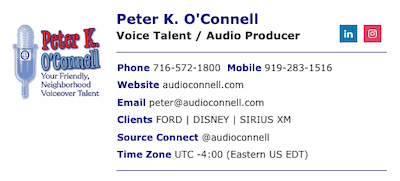
The new email signature from Wise Stamp now used by voice actor Peter K. O’Connell
For some years, I had an email signature with links that I got via Wise Stamp, a company that provides a multitude of plans for email signatures for individuals or companies with scores and scores of employees. The services for many of these plans can get very involved (think tracking of email opening, lead generation, etc) and with every additional service the cost goes up.
I’ve just used the basic Wise Stamp email signature templates with links, in the past. I liked it because to was always formatted correctly, it worked well with Outlook and GMail on sizing, it didn’t seem to have a problem working on the various email platforms of anyone receiving my emails (they need to be able to read it, after all) and the customization was variable, attractive and easy. It was also of course not free – unless you wanted Wise Stamp branding on your email sig (which was *verboten* in my marketing brain).
Although not free, Wise Stamp usually had a discount price offered so it made it OK. When they dropped the discount over a year ago, I went over to Canva.
The link issue, however (as I mentioned earlier), was becoming something I thought more about. Gnawing at me.
Wise Stamp recently had another discount offering (not as good as in the past)…but it had links. Ok.
So for the next year, I’m going to see if I sleep better with links in my email signature.
Tags: marketing, voice talent, voiceover, voiceover advice by peter k. o'connell, your friendly, neighborhood voice-over talent
Comments Off on voiceover marketing and the email signature



 RALEIGH, NORTH CAROLINA – March 3, 2025 – – Media producers often face a familiar challenge: finding the right professional voice quickly and confidently. To help solve that problem, audio’connell Voiceover Talent has launched a new section on its website,


